
A product catalog should be generated where the data already lives: in the ERP. If dimensions, spare parts and stock information are in Odoo, collecting catalog data from anywhere else means double entry and outdated information. The right way is for the catalog to come out of Odoo with one click.
In short
- No separate data source is kept outside the ERP for the catalog.
- Missing information is completed in the ERP, not in the catalog.
- The print PDF, web catalog and book view come from the same data with one click.
What happens to a catalog assembled outside the ERP?
- The same product is kept in two places: in the ERP and in the catalog file.
- New products and dimension changes reach the catalog late, or not at all.
- Sales, customers and production end up looking at different information.
If the data is in Odoo, why should the catalog come from there?
Product codes, dimensions (attributes), spare parts (bills of materials), images and stock information are already kept in Odoo. The catalog is a view of that data, not a separate copy: when the data changes, the next PDF changes with it.
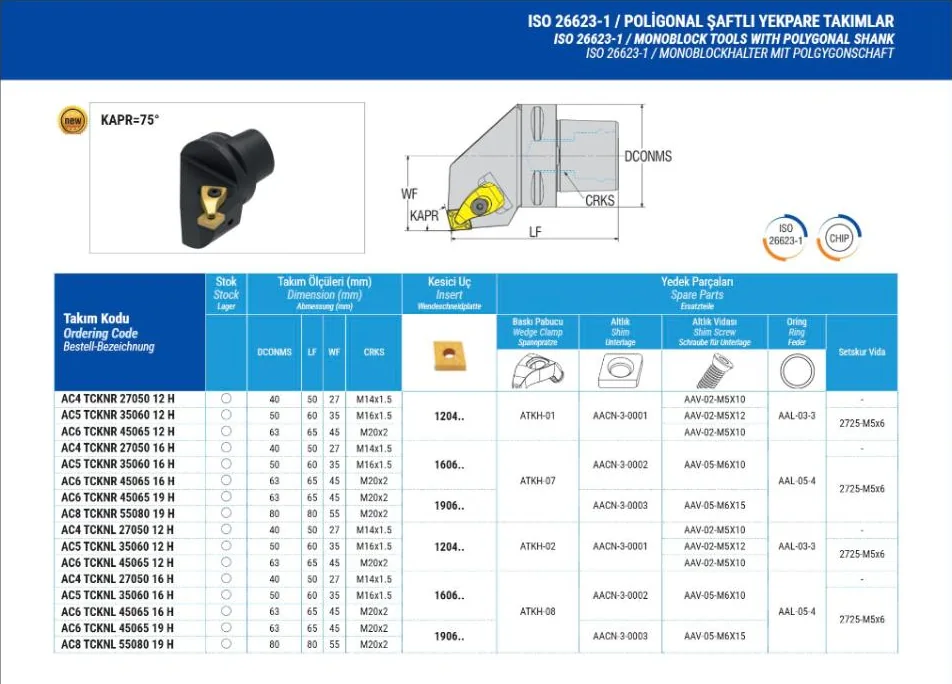
Missing data is completed in the ERP, not in the catalog
If a product's dimension or image is missing, the product record is completed instead of patching the catalog file. Odoo lists the codes that are in the catalog but not in the ERP and the products with missing dimensions, so a gap is closed at its source and corrected everywhere.
What comes out with one click?
- Print PDF: ready for print.
- Web catalog: search by category or product code.
- Book view: the whole catalog with page turning.
- Customer PDF: filtered by category or stocked items only.
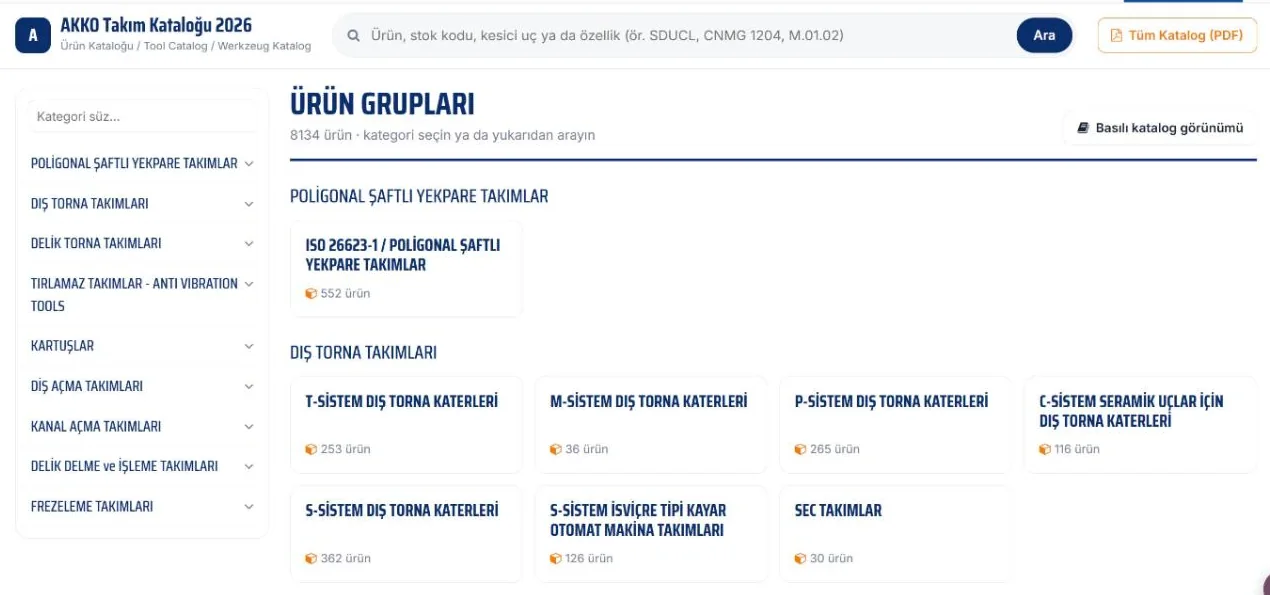
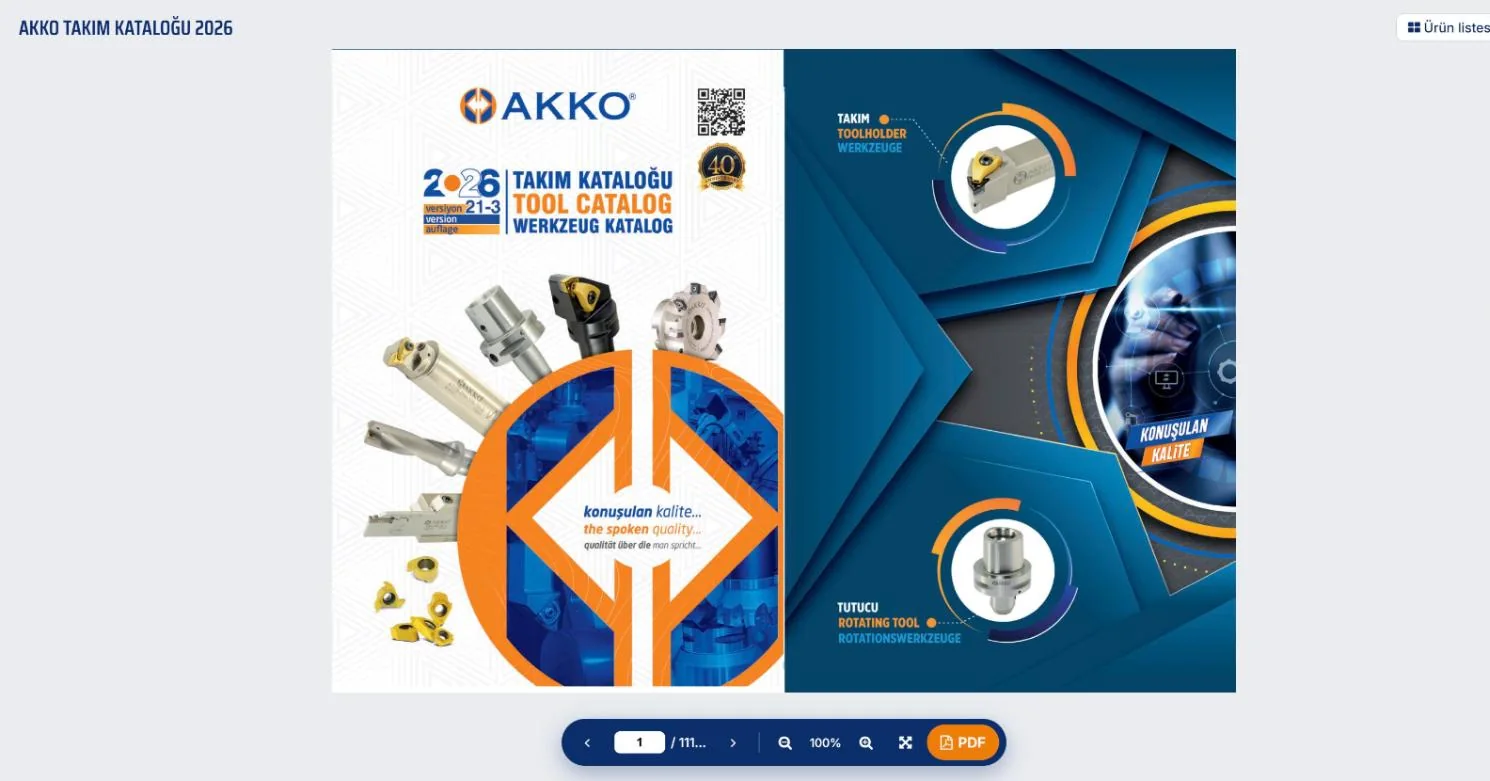
Frequently asked questions
Do we have to give up catalog design?
No. Designed pages such as the cover and introduction are added as they are; product pages are generated from ERP data.
What if our data in Odoo is not complete?
The gaps are completed in Odoo first; the lists of missing dimensions and codes show where to start. No separate table is opened for the catalog.
Is this part of standard Odoo?
Products, attributes and bills of materials are standard Odoo; the catalog layout and PDF output come from our Digital Product Catalog module.
Send us a page from your catalog and we will check together whether your data in Odoo is ready.
Talk to us